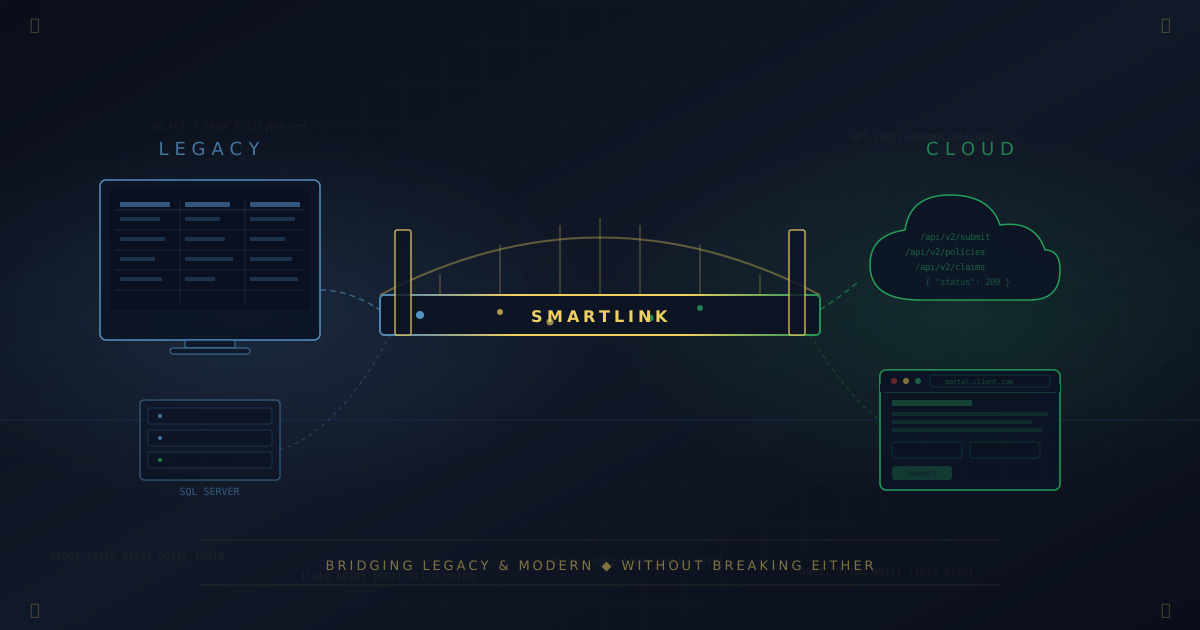
Nobody wakes up one morning and decides their twenty-year-old software is a problem. It happens gradually — a new employee who can't believe the interface, a client portal that can't talk to the back office, a vendor who stops returning calls about an API that was deprecated in 2019. The system still works. It just doesn't connect to anything built in the last decade.
This is the story of what happens when you stop trying to replace that system and start building a bridge instead.
The Situation
We've been working with a nationwide insurance firm — mid-sized, well-established, focused on a specialized line of business, with decades of institutional knowledge baked into their processes — on a problem that turned out to be more universal than it first appeared.
Their core business application was a desktop program built on technology from the early 2000s. WinForms front end, on-premises SQL Server back end, a reporting layer that predated the cloud by a comfortable margin. It handled policy management, claims tracking, document generation — the full operational spine of the business. Thousands of records. Years of custom business logic encoded in stored procedures and application code that nobody had fully mapped in a long time.
The application worked. That wasn't the issue.
The issue was that the firm had also invested in a modern web portal — a customer-facing site running on Azure, built to let policyholders check status, submit documents, and interact with the business on their own schedule. A reasonable bet. The kind of digital front door every insurance operation needs in 2026.
The problem: these two systems had no idea the other existed.
Staff were manually copying data between screens. Updates entered by customers on the web portal had to be re-keyed into the desktop application. Documents uploaded online had to be downloaded, renamed, and filed by hand. The web portal was generating business — and generating a backlog of manual reconciliation that was quietly eating the firm's margins.
The Temptation Nobody Should Give In To
The obvious pitch — the one most consultants would make — is simple: replace the legacy application. Start over. Clean slate.
It's also, in most cases, the wrong answer.
Here's why. That desktop application isn't just software. It's twenty years of accumulated business logic — edge cases handled, regulatory requirements encoded, workflows refined through thousands of real transactions. Replacing it means reverse-engineering all of that. It means a migration project measured in years, not months. It means running parallel systems during a transition period where both need to be correct, because insurance is a regulated industry and the data can't be wrong.
The firms that attempt full rip-and-replace on systems like this — and we've seen more than a few — typically end up eighteen months in, over budget, with a partial migration and two systems that both need maintenance. That's not modernization. That's multiplication of complexity.
We proposed something different.
SmartLink: The Bridge
SmartLink is a lightweight desktop application we built specifically for this class of problem: a legacy system on one side, a modern cloud platform on the other, and a business that needs them to behave as one system without rewriting either.
It runs alongside the legacy application on the same infrastructure — same machines, same network, no new servers required. No modifications to the legacy application's existing tables or stored procedures. No changes to its source code — which matters enormously when you're dealing with a codebase where the original developers are long gone and documentation is sparse.
What It Actually Does
Watches for changes. SmartLink monitors the cloud platform for completed applications and new submissions — the data that matters to the back office. When it finds new or updated records, it pulls them down so staff can review and sync them into the local system. The legacy database doesn't need to know anything about the cloud; SmartLink handles the retrieval.
Translates and packages. Legacy databases rarely speak the same dialect as modern APIs. SmartLink transforms the data — mapping field names, normalizing formats, applying business rules that govern what gets synced and what doesn't. Not everything in the desktop system belongs on the web portal, and vice versa. The translation layer is where those decisions live.
Pulls from the cloud, writes back to legacy. SmartLink retrieves web portal submissions and cloud-stored documents, then presents them to staff in a managed workflow. Operators review incoming data, select what to sync, and write it back to the legacy database through stored procedures that respect the application's existing validation logic. Every transaction is logged and auditable. The human stays in the loop where it matters — SmartLink handles the plumbing, but staff make the decisions about what lands in the system of record.
Presents a single operational view. Staff see a checklist interface that shows sync status, pending items, and exceptions. No command line. No log files to parse. A dashboard designed for the people who actually run the business, not for the engineers who built the plumbing.
The Design Philosophy
The principle behind SmartLink is simple: meet the technology where it is, not where you wish it were.
The legacy application isn't going to become a modern web app. The web portal isn't going to develop a WinForms interface. The business needs both, and the business needs them synchronized. SmartLink doesn't ask either system to be something it isn't. It handles the translation and the transport so the humans can focus on insurance instead of data entry.
Because the integration is data-driven — operating at the database and API layer rather than the UI layer — it's resilient in ways that UI-layer integrations aren't. The desktop app can update its interface, add screens, rearrange workflows — none of that breaks the bridge, because SmartLink never touches the UI. It only cares about the data contract. And when the data contract does change — a new column, a renamed field, a modified stored procedure — the translation layer adapts without requiring changes to either system's codebase.
The Results
The firm went from a multi-hour daily manual reconciliation process to a managed, automated workflow. The specific numbers are theirs to share, but the shape of the change is worth describing:
Manual data entry between systems dropped to near zero. What had been a multi-hour daily ritual — downloading, re-keying, cross-referencing between screens — compressed to a guided sync workflow that takes minutes. Documents uploaded through the web portal get pulled down and filed automatically. Web submissions flow into the legacy system through a review-and-approve process instead of manual transcription. The backlog that was consuming staff hours simply stopped accumulating.
Error rates from manual transcription disappeared. When humans copy data between screens, mistakes happen. Transposed digits. Missed fields. Stale information that should have been updated but wasn't. SmartLink doesn't get distracted, doesn't skip fields, and doesn't fat-finger a policy number.
The web portal became operationally real. Before SmartLink, the portal was technically functional but operationally disconnected — a digital front door that opened into a hallway nobody had built yet. Now it's an actual extension of the business system. Customers interact with it and things happen on the back end. That's the difference between a website and a workflow.
The legacy application stayed in place. No migration. No retraining. No six-figure rewrite project. Staff kept the interface they'd used for years, with all its institutional muscle memory intact. The only change was a new tool on their desktop that turned a tedious manual process into a few clicks.
What This Means for Your Business
You probably don't run an insurance firm. But if you've been in business long enough, you almost certainly have some version of this problem. A desktop application that does something critical. A newer system — maybe a web portal, maybe a SaaS platform, maybe an internal tool — that needs to share data with it. And a gap between them that's currently filled by human effort, spreadsheet exports, or uncomfortable workarounds that everyone knows are fragile.
The instinct to replace the old system is understandable. Sometimes it's even correct. But more often than most vendors will admit, the right answer is a bridge — purpose-built and designed to respect the reality of what's already in place.
That's what SmartLink does. We built it for one client's specific problem, but the pattern it solves is universal: legacy system holds the business logic, modern system holds the customer experience, and somebody needs to connect them without breaking either one. Whether the legacy side is an insurance platform, an accounting system, or a medical records database, the architecture translates.
What SmartLink Already Handles — and Where It's Going
Beyond the core sync workflow, SmartLink already pulls documents from Azure Blob Storage directly into the local file system, so files uploaded through the web portal are available to staff without manual downloading. It also integrates with the firm's document management platform, routing files from the legacy application into cloud-based archival with a few clicks instead of a manual upload process.
What's next is about extending the pattern:
Expanded automation — reducing the remaining manual steps in the sync workflow. The goal is fewer clicks per cycle, with the human staying in the loop for decisions but not for transport.
Deeper monitoring and alerting — proactive notification when sync patterns deviate from baseline, catching issues before they become data discrepancies.
Generalization — adapting SmartLink's architecture for other clients facing the same class of problem. The core pattern is transferable; the specifics of each integration are what change.
If you've got a version of this problem, there's probably a solution that doesn't require choosing between the system you have and the system you need. Reach out — we'll tell you whether SmartLink fits or whether something else makes more sense. Either way, the bridge is shorter than you think.
SeraphimGate Systems provides IT consulting and professional services for small and mid-sized businesses, with a focus on legacy system modernization, infrastructure architecture, and AI-assisted workflows. Based in Kīhei, Maui, serving clients locally and nationwide.
Reach us at (808) 824-5960 or visit seraphimgate.com